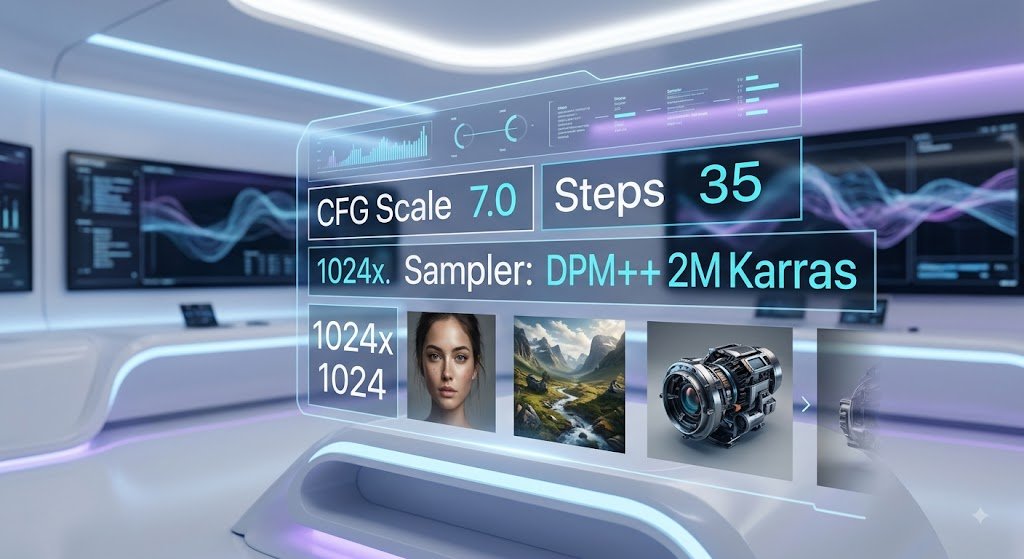
Stable Diffusion XL (SDXL) offers unmatched control over open-source image generation. Unlike closed commercial models, mastering SDXL requires a deep understanding of its underlying rendering settings: CFG Scale, Sampling Methods, Generation Steps, and Negative Prompting.
This guide breaks down how to configure these parameters to achieve sharp, high-resolution outputs without artifacting or distortion.
1. The Core SDXL Technical Parameters
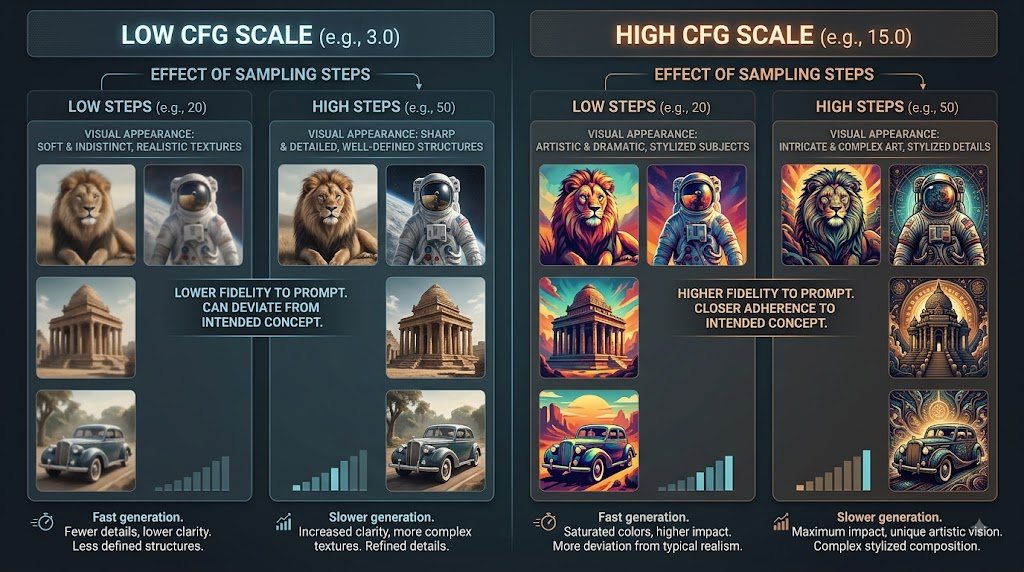
To get clean outputs from SDXL models, your generation settings must balance speed, sharpness, and prompt adherence.
| Parameter | Recommended Range | Function | What Happens If Set Too High / Low |
| CFG Scale | 5.0 – 8.0 | Controls how strictly the model follows your prompt. | Too high (>12): High contrast, deep color burn, harsh artifacts.Too low ( <3): Model ignores your prompt. |
| Sampling Steps | 25 – 40 | The number of denoising iterations applied to the canvas. | Too low (<15): Blurry, unfinished renders.Too high ( >60): Diminishing returns; unnecessarily slows generation. |
| Native Resolution | 1024x1024 | SDXL’s native training aspect ratio baselines. | Deviating significantly from 1024px baseline dimensions (e.g., using 512×512) causes multi-head distortion. |
2. Choosing the Right Sampler for SDXL
Samplers dictate the mathematical algorithm used to strip noise out of the image during generation.
- DPM++ 2M Karras: The best overall sampler for photorealism and fine detail. Highly efficient at 25 to 30 steps.
- Euler a (Ancestral): Adds subtle creative variation at each step. Excellent for concept art, digital painting, and anime styles, but less deterministic.
- UniPC: Extremely fast sampler capable of producing clean renders in as few as 15 to 20 steps.
3. Mastering the SDXL Negative Prompt
In SDXL, the Negative Prompt tells the diffusion engine what features to actively suppress during the denoising process.
Baseline Photorealism Negative Prompt Block
Copy and paste this universal negative prompt into your SDXL interface (Automatic1111, ComfyUI, or Forge):
3d render, vector art, cartoon, drawing, illustration, deformed eyes, extra limbs, bad anatomy, bad hands, missing fingers, extra digits, disconnected limbs, blurry, low resolution, oversaturated, chromatic aberration, signature, watermark, text
4. Complete Prompt Construction Examples
Example 1: Photorealistic Portrait
- Positive Prompt:
close-up portrait of an elderly fisherman with deep wrinkles, grey beard, yellow rain jacket, ocean spray, overcast moody lighting, shot on 85mm lens, f/2.8, shallow depth of field, highly detailed skin texture, 35mm film grain
- Negative Prompt:
cgi, 3d, smooth skin, airbrushed, plastic, doll, bad eyes, extra fingers, cartoon, blur, watermark
- Settings:
CFG: 6.5|Steps: 30|Sampler: DPM++ 2M Karras|Resolution: 832x1216
Example 2: Sci-Fi Concept Art
- Positive Prompt:
cinematic wide shot of an abandoned industrial station on a desert planet, towering rusty silos, dust storm atmosphere, harsh sunlight creating long shadows, concept art style, intricate mechanical detail
- Negative Prompt:
trees, green foliage, water, oversaturated colors, low quality, foggy clutter, text, signature
- Settings:
CFG: 7.5|Steps: 35|Sampler: Euler a|Resolution: 1216x832
Frequently Asked Questions
Why does my SDXL image generate two heads or extra legs?
This occurs when generating at resolutions below SDXL’s native 1024x1024 baseline (such as 512x512), or when aspect ratios exceed 1536px on one axis without using tiled VAE or hi-res fix.
Is a high CFG Scale always better for realism?
No. High CFG scales (>10) force the model to over-fit to text strings, which causes color clipping, over-saturation, and high-contrast line artifacts. Stick to 5.0 to 8.0 for natural results.